The offline travel wallet for iPhone
Journeys,
kept.
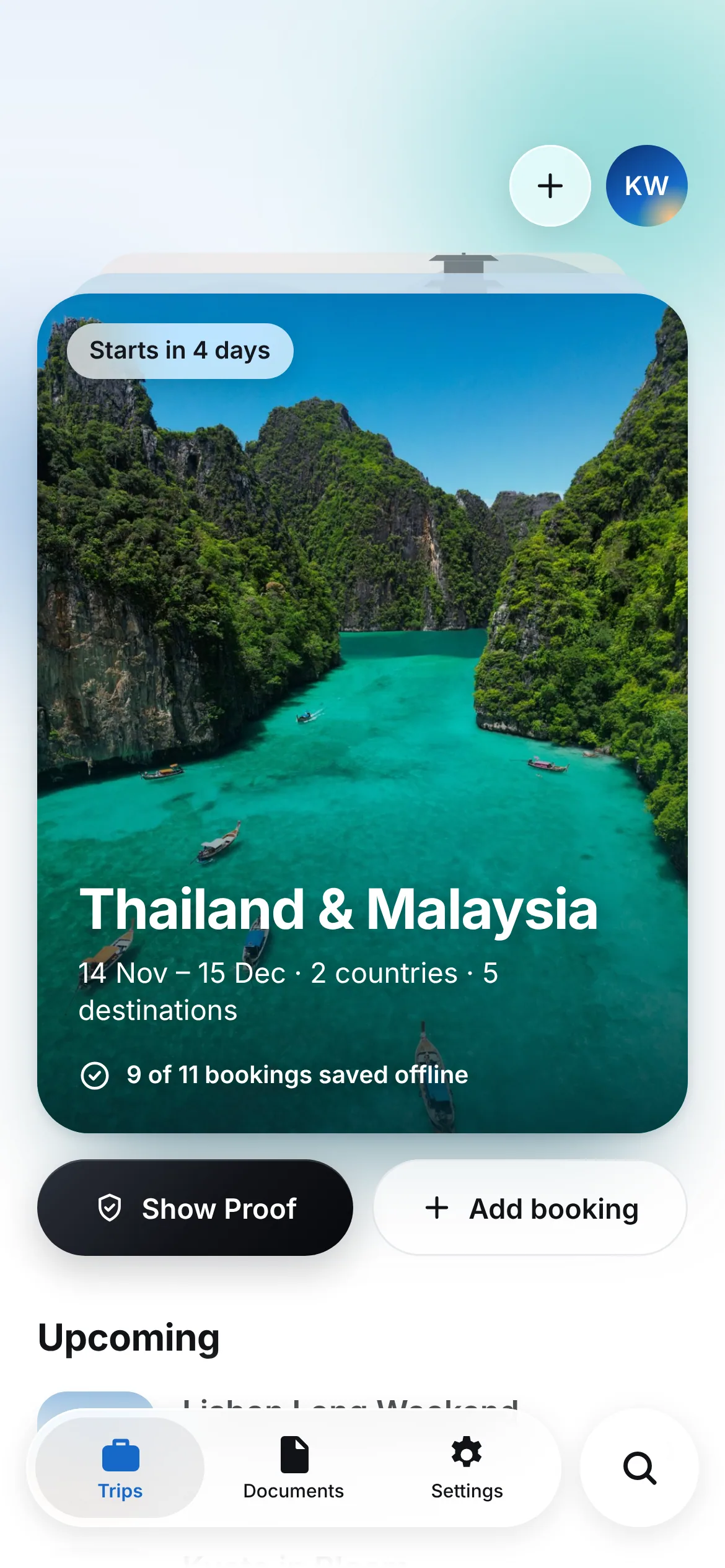
Every flight, stay and ticket in one calm itinerary — with the original confirmations on your iPhone, ready at the gate, the border and the taxi rank. Even with no signal.
- Works offline
- Reads on-device
- No account needed
Bring in bookings from anywhere
- PDF confirmations
- Screenshots
- Photos & scans
- Shared from Mail
- Typed in by hand
- Airline e-tickets
- Hotel vouchers
- Train & ferry tickets
Use cases
One trip, five moments where Vaylet helps.
Follow a real trip — Baghdad to Bangkok — from the evening you plan it to the moment you land. Tap a moment.
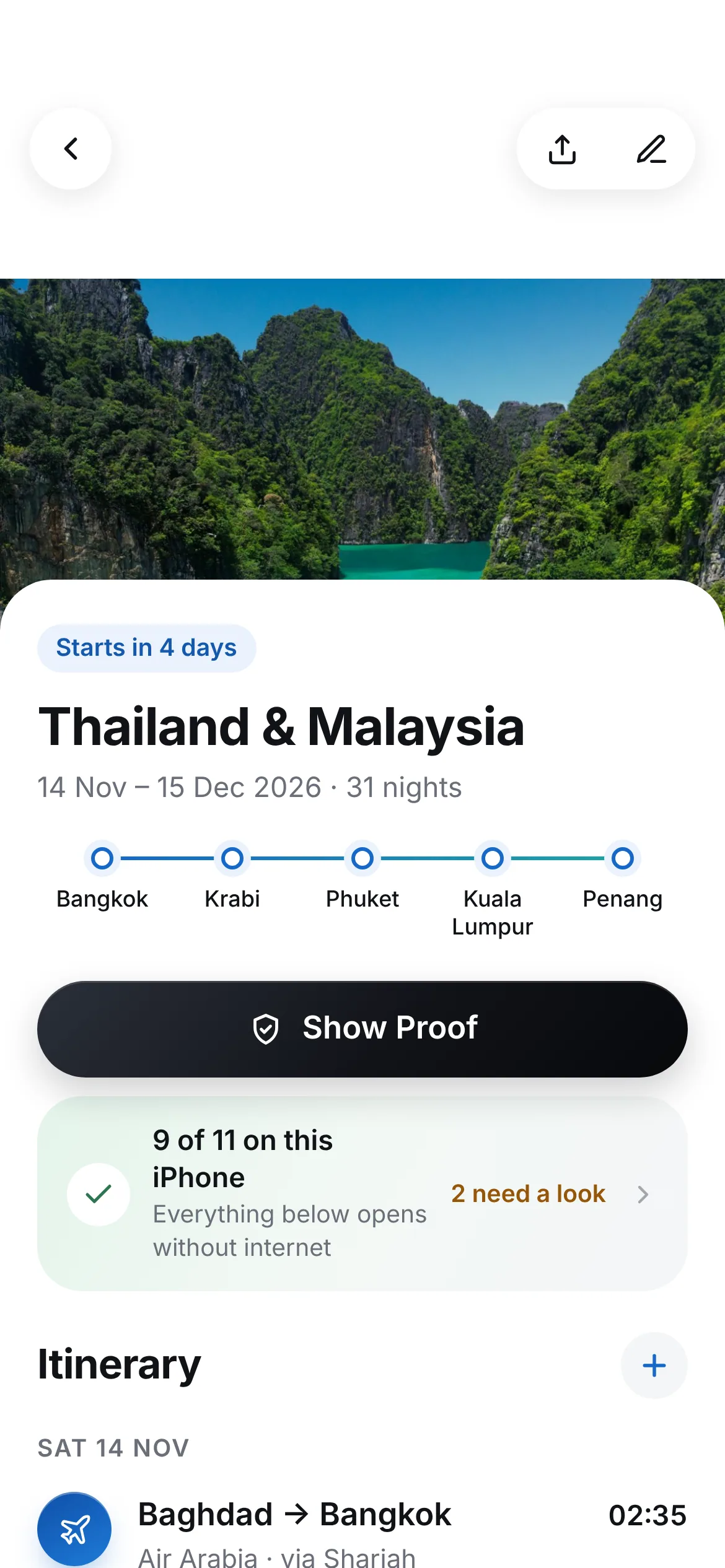
Planning at home. Drop in your confirmations. Vaylet reads them on your iPhone and builds the trip as one itinerary by day — flights, stays, trains and ferries.
Made for these moments
If any of these sound familiar…
Vaylet is for the stressful two minutes, not the planning spreadsheet.
The border question
An officer asks for your return ticket and hotel. You’re in airplane mode. Two taps, done.
The island with no signal
Ferry tickets and the villa’s booking still open on a beach with zero bars.
The taxi at arrivals
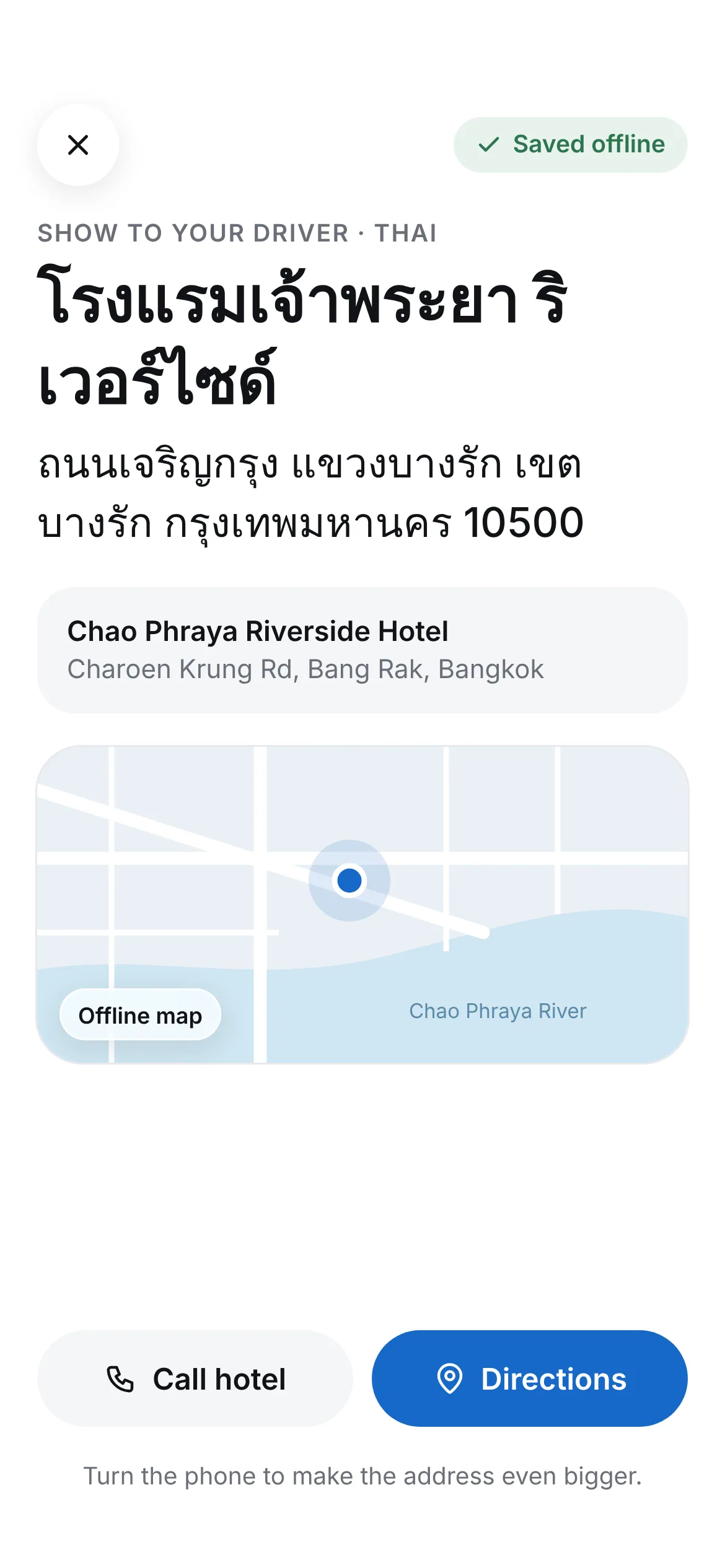
The driver doesn’t speak English. Your hotel address is ready in Thai.
The inbox scavenger hunt
No more digging through email for a PDF from six weeks ago. Everything is in the trip.
The early-morning flight
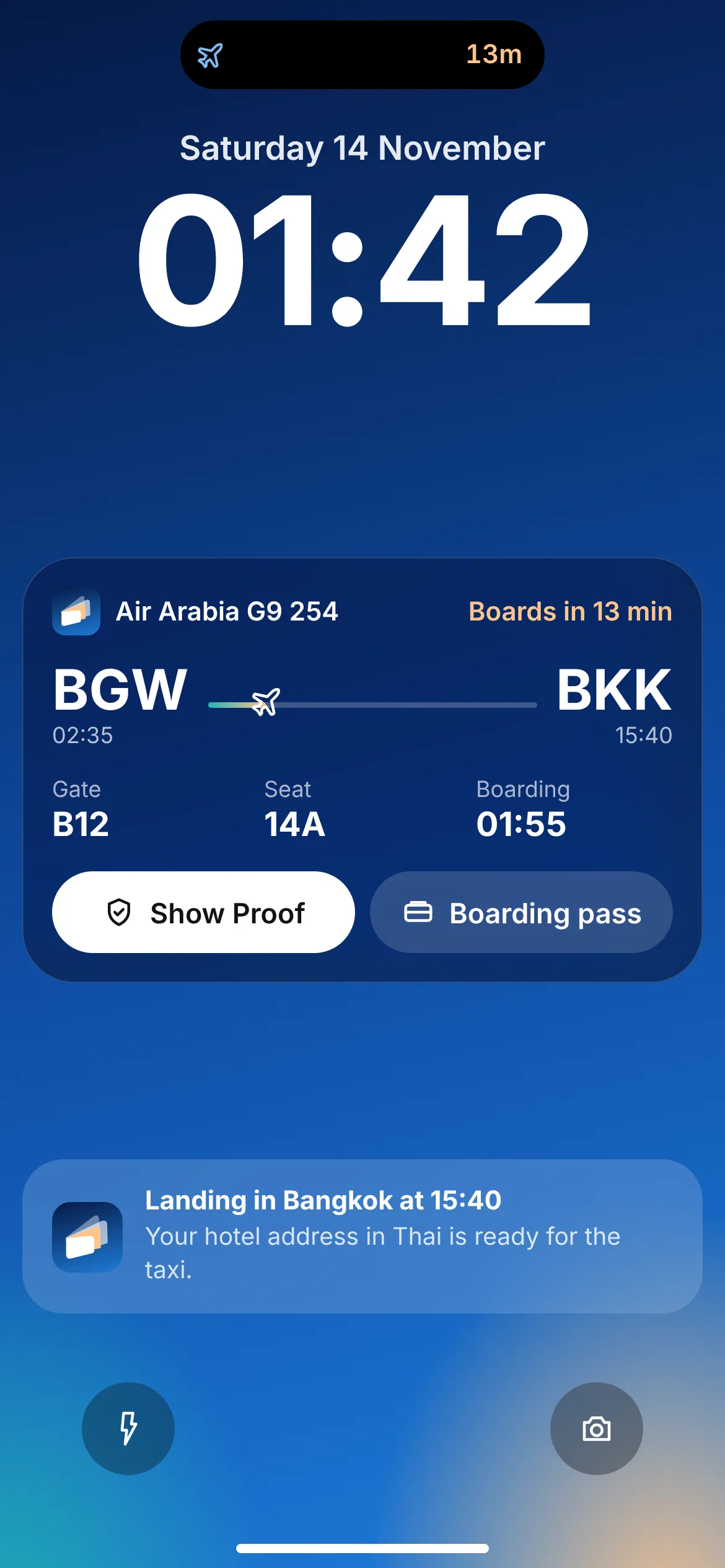
Check-in reminders, boarding time on your Lock Screen, gate changes at a glance.
The family trip
One plan everyone can see — without sharing passports or booking codes.
Try it
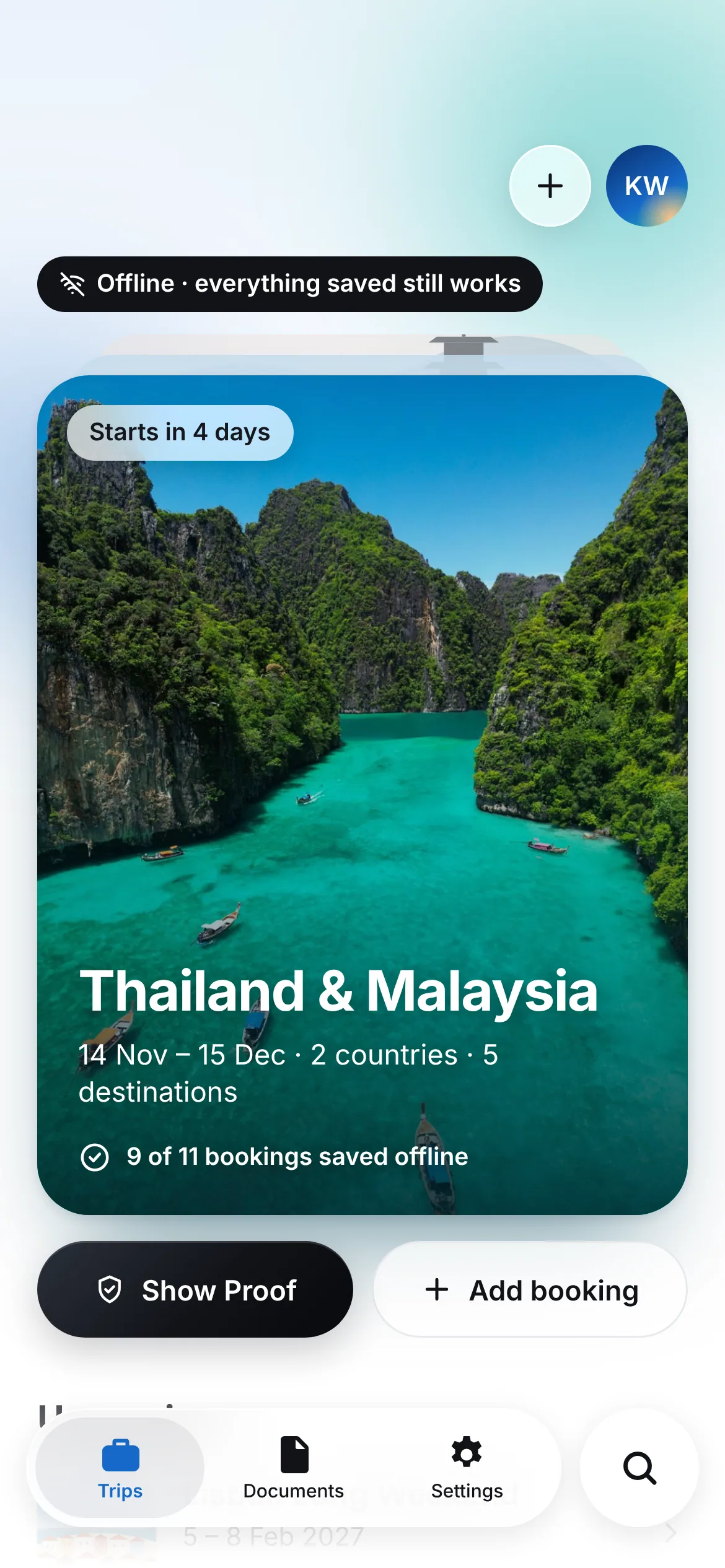
Turn on airplane mode.
Nothing changes.
Every original lives on your iPhone, so your trip opens exactly the same with no Wi-Fi, no roaming and no signal. Flip the switch.
- Itinerary
- Original files
- Show Proof
- Driver card
Show Proof
At the counter, in two taps.
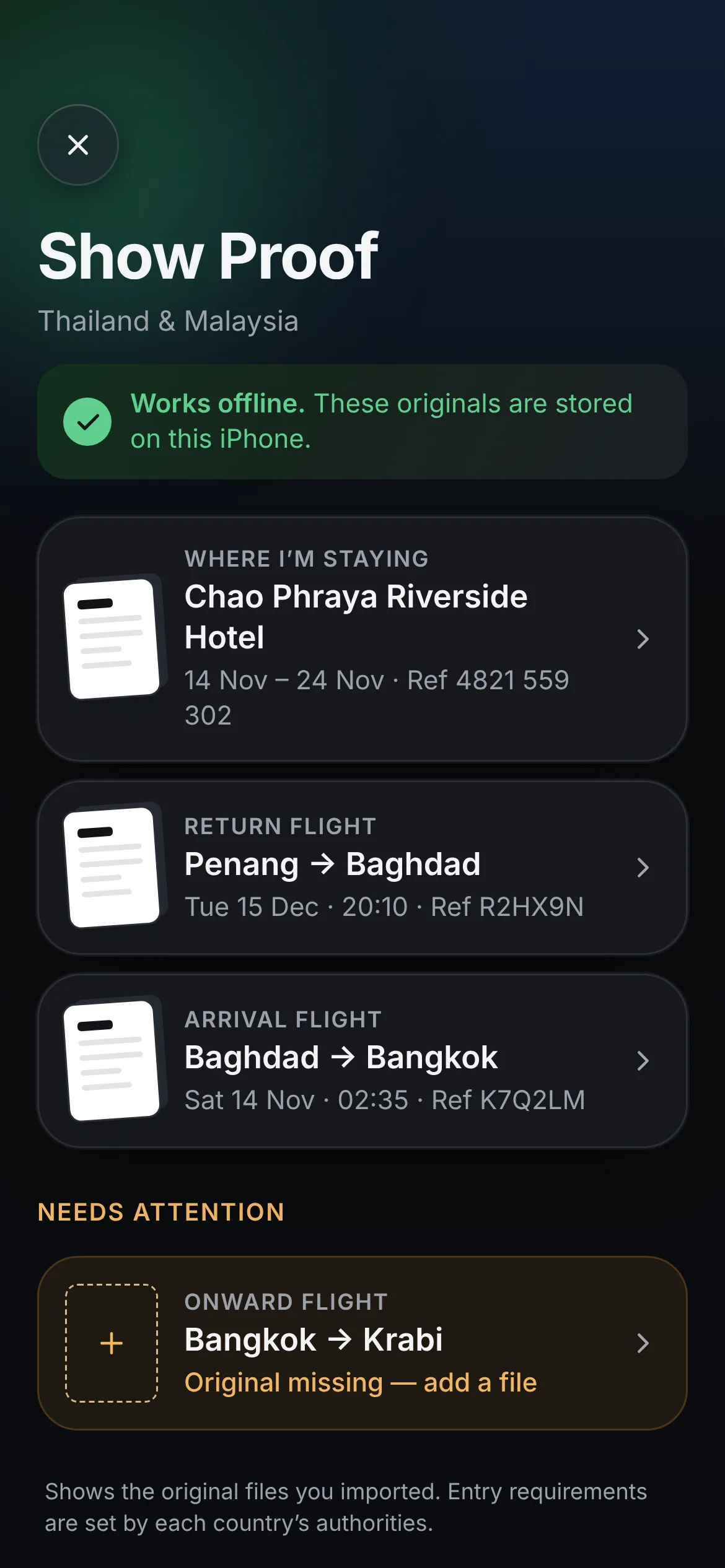
Show Proof lists the hotel confirmation, return flight and arrival flight — the imported originals, one tap from full screen, no signal needed.
- Ordered the way border officers ask
- Works in airplane mode
- Opens from your Lock Screen and Siri
How it works
Ready in under a minute.
Add a confirmation
Share it from Mail, pick a PDF, or snap the paper copy.
- Flight
- G9 254
- Departs
- 02:35
- Reference
- K7Q2LM
Check the details
Vaylet reads it on your iPhone and flags anything it isn’t sure about.
Travel light
Your trip builds itself by day — and every original is saved offline.

Land like a local
Your hotel, in their language.
Step out of arrivals and show the driver your hotel’s name and address in Thai, Malay or wherever you’ve landed — saved offline when you import the booking.
Private by design
Your documents stay yours.
Reading happens on your iPhone, not on our servers. No account needed, Face ID lock if you want it, and booking references are hidden when you share a trip.
On-device reading
Text is read on your iPhone.
No account required
Start without signing up.
Face ID lock
Optional, for the whole app.
Safe sharing
References off by default.
FAQ
Questions, answered.
Yes. Every confirmation you import is saved on your iPhone, so your trip, bookings and original files open in airplane mode.
Your next trip, kept.
Join the waitlist and be first to try Vaylet on iPhone.